01
Structure
Organize records around the aircraft
Keep maintenance history tied to a clear aircraft identity so records are easier to locate during planning and review.

Maintenance records
Explore how Airways organizes digital aircraft logbook history for owners, mechanics, fleet operators, and MRO teams.
Operational intent
A useful digital record is not just a scan archive. It should help the next person understand what happened, which aircraft it affected, and where supporting material belongs.
Control points
Keep maintenance history tied to a clear aircraft identity so records are easier to locate during planning and review.
Capture the work narrative and supporting information needed for a cleaner operational handoff.
Give authorized participants a consistent place to review maintenance history instead of relying on one person’s folder structure.
Original source screenshot
This screenshot comes from the original Airways source repository. It provides concrete material for a walkthrough without implying capabilities that still need confirmation.
Review the complete feature map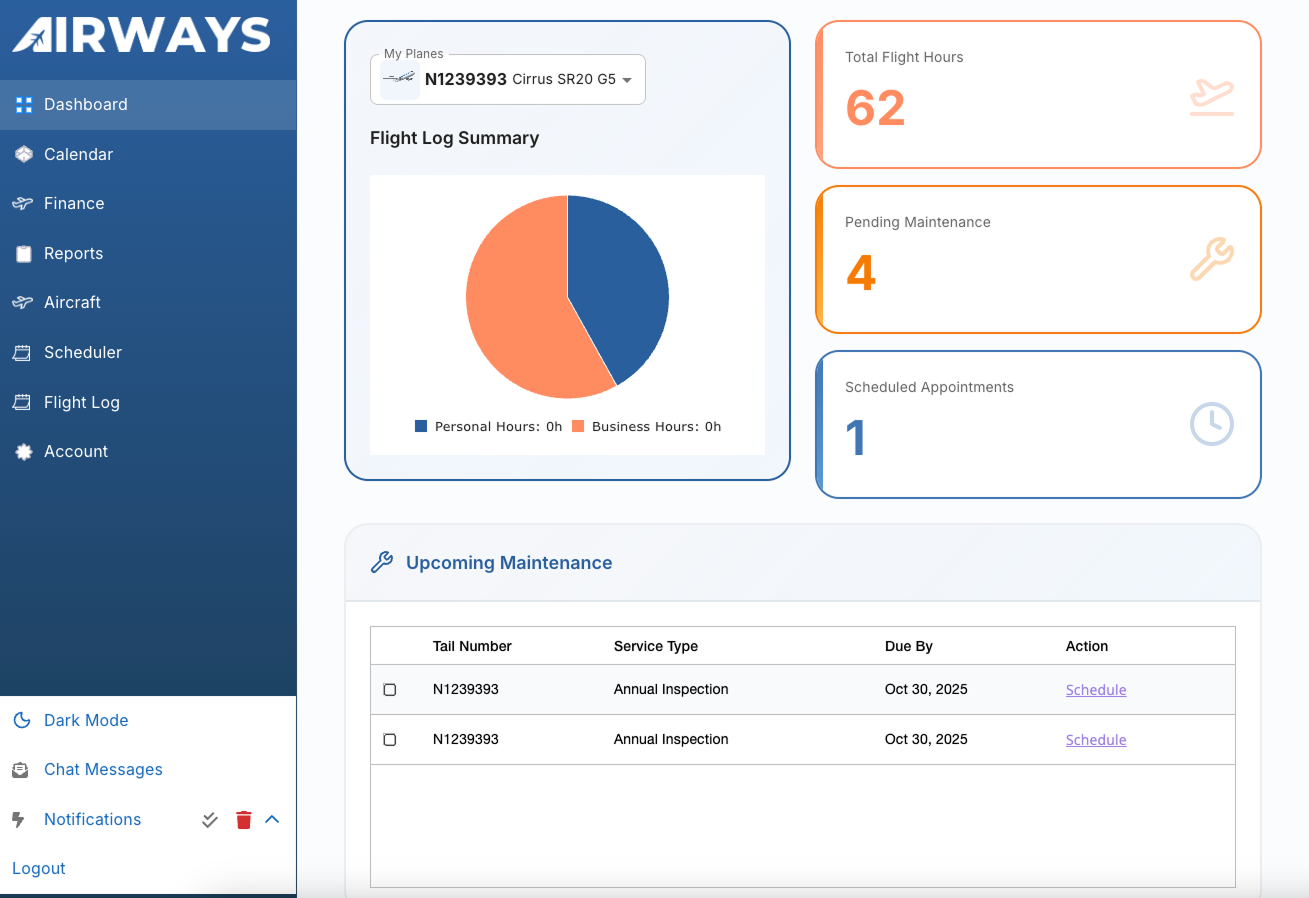
Workflow path
Identify the aircraft and the source material that needs to be represented.
Record the work, date, and available supporting detail without inventing missing history.
Check the entry and attachments before they become part of the shared operational record.
Reference prior maintenance while planning inspections and new work.
Walkthrough checklist
Product evaluation
Review the product against your aircraft, roles, records, and handoffs. Confirm current capabilities, implementation fit, and commercial terms directly with Airways.