01
Intake
Start from the aircraft context
Give planners and technicians a common maintenance picture before work is scoped.

Maintenance operations
Evaluate Airways MRO software for aircraft maintenance planning, work coordination, records, and operational handoffs.
Operational intent
MRO teams need more than isolated feature screens. They need a reliable path from incoming aircraft context to due-work review, work execution, and a record the next shift can understand.
Control points
Give planners and technicians a common maintenance picture before work is scoped.
Review approaching inspections and open work without merging status by hand across separate trackers.
Move useful status and completion context between owners, coordinators, mechanics, and record reviewers.
Original source screenshot
This screenshot comes from the original Airways source repository. It provides concrete material for a walkthrough without implying capabilities that still need confirmation.
Review the complete feature map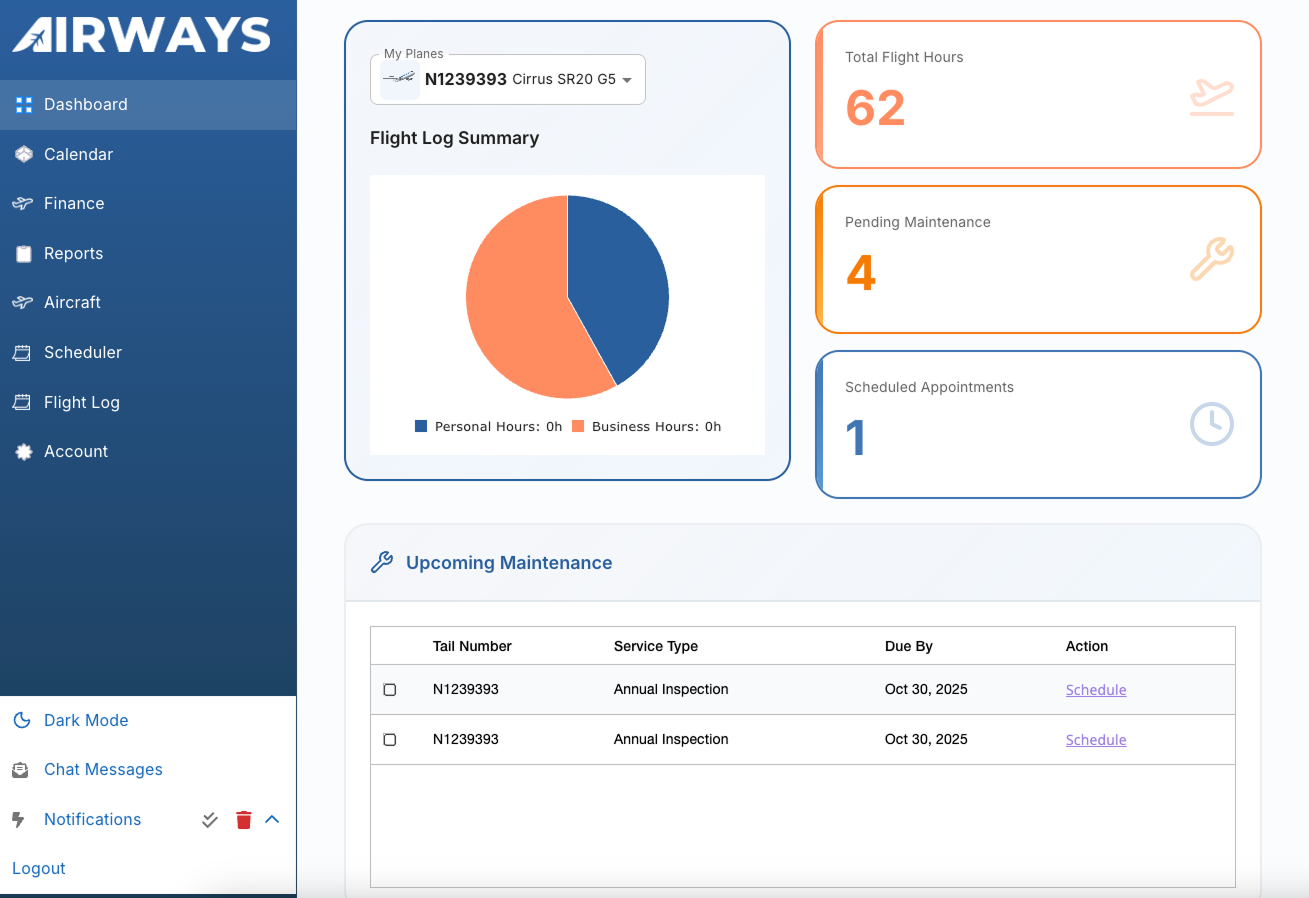
Workflow path
Bring your actual maintenance roles, records, and handoffs into the walkthrough.
Test how aircraft, due work, and open work appear to each participant.
Ask how incomplete data, changing scope, permissions, and exports are handled.
Document product gaps, implementation needs, and commercial terms before deciding.
Walkthrough checklist
Product evaluation
Review the product against your aircraft, roles, records, and handoffs. Confirm current capabilities, implementation fit, and commercial terms directly with Airways.