01
Basis
Track more than a calendar date
Represent inspection intervals that depend on calendar time, flight hours, or cycles rather than flattening every requirement into one spreadsheet column.

Inspection control
Organize calendar, flight-hour, and cycle-based aircraft inspection tracking in one operational view with Airways.
Operational intent
Airways is designed to replace scattered due-date calculations with an inspectable maintenance queue. Teams can evaluate upcoming work against the aircraft and records that give it context.
Control points
Represent inspection intervals that depend on calendar time, flight hours, or cycles rather than flattening every requirement into one spreadsheet column.
Bring upcoming maintenance into a shared operational surface so owners, mechanics, and coordinators can discuss the same due work.
Connect completed maintenance activity with the aircraft record instead of reconstructing the trail from inboxes and separate files.
Original source screenshot
This screenshot comes from the original Airways source repository. It provides concrete material for a walkthrough without implying capabilities that still need confirmation.
Review the complete feature map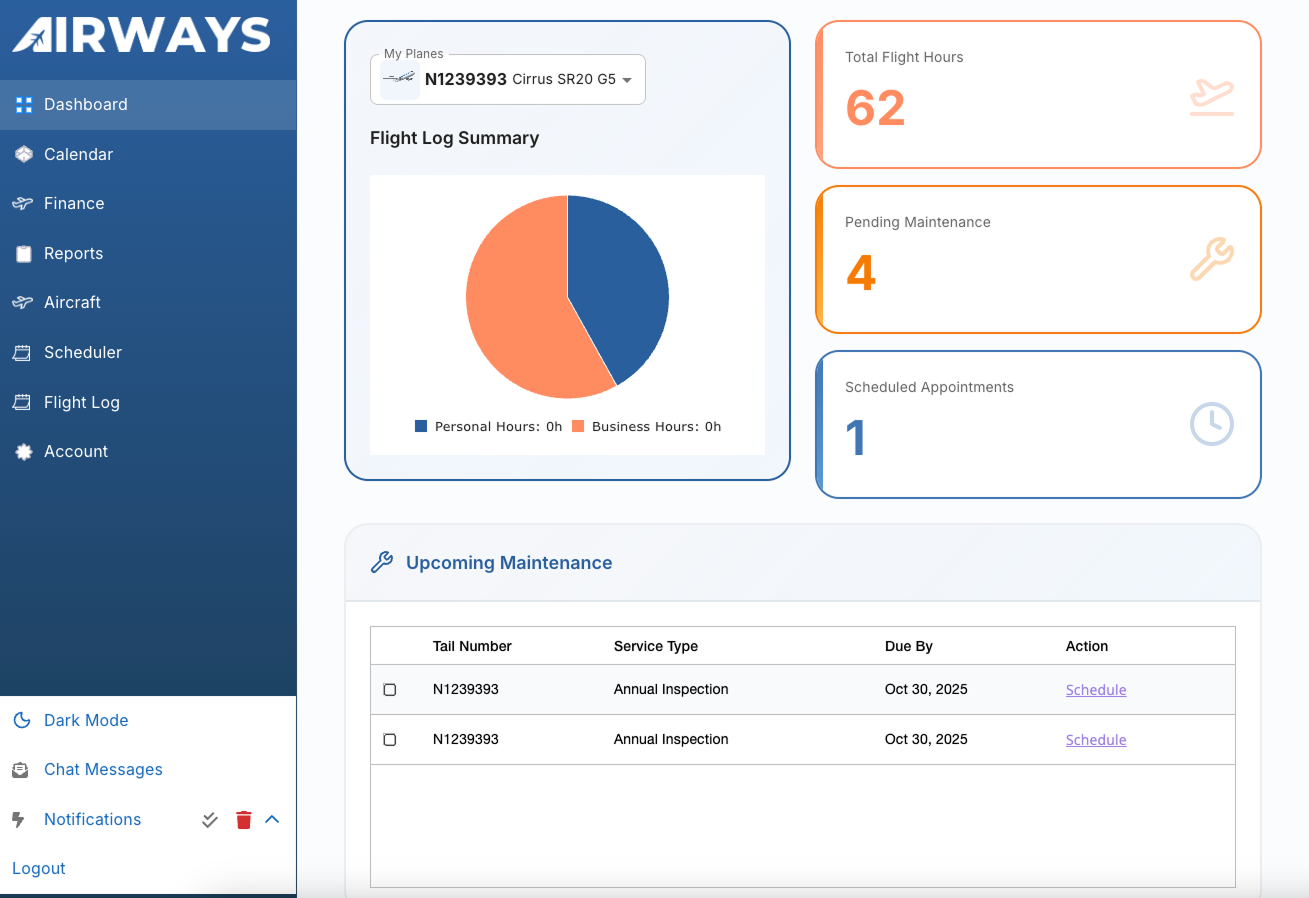
Workflow path
Start with the aircraft identity and the maintenance information available to your operation.
Record the applicable calendar, hour, or cycle basis and the known maintenance context.
Use the maintenance view to decide what needs verification, scheduling, or action.
Update the aircraft history when work is completed and retain the operational handoff.
Walkthrough checklist
Product evaluation
Review the product against your aircraft, roles, records, and handoffs. Confirm current capabilities, implementation fit, and commercial terms directly with Airways.